The analyses and opinions presented on Career Cloud are our own. We may receive commissions from purchases made after visiting links within our content. Learn More.
Whether you’re an employer or a job hunter, you may be wondering how CareerBuilder can help you. We’ll share key information about the platform’s main features, pricing, and more. That way, you can decide if the company’s service is right for your candidate or job search.
This review will focus on CareerBuilder, however, if you are looking for other options, we would recommend ZipRecruiter. ZipRecruiter offers free job searching for jobseekers and a free trial for job seekers.
What is CareerBuilder?
CareerBuilder is a well-known employment website that connects employers looking for talent with professionals seeking their next opportunity. Let’s take a closer look at how the company helps both parties.
CareerBuilder for Employers
CareerBuilder allows employers to post jobs, search for and interact with candidates, and so much more.
CareerBuilder Features for Employers
Employers can enjoy these CareerBuilder features:
-
A searchable candidate database with more than 82 million resumes
-
Insight about each candidate that goes way beyond their resume
-
Job description writing assistance powered by AI
-
A dashboard where users can manage the recruiting process and communicate with candidates
-
The ability to create lists to organize candidates
-
Alerts when the system detects new candidate matches
-
Integration with existing HR software
Hiring managers can also take advantage of:
-
A branded career website through CareerBuilder
-
In-person or virtual hiring events hosted by the company
-
Live candidate sourcing assistance
The company lets you customize your experience based on your needs — whether you just want a little help or you’d rather outsource most of the recruiting process.
How to Post a Job on CareerBuilder for Employers
You can post a job on CareerBuilder in five minutes. Here’s how:
1. Click on ‘Post a Job.’
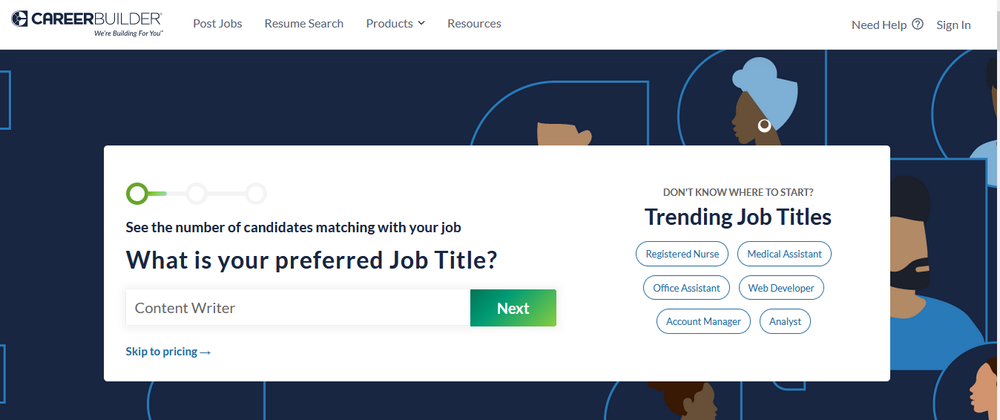
2. Enter the job title to see a potential number of candidate matches.
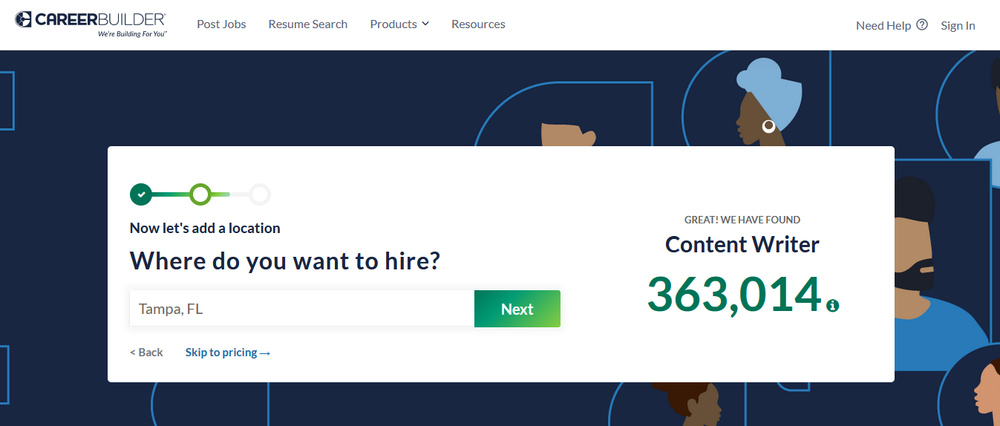
3. Enter the location to see a narrowed down number of potential matches.
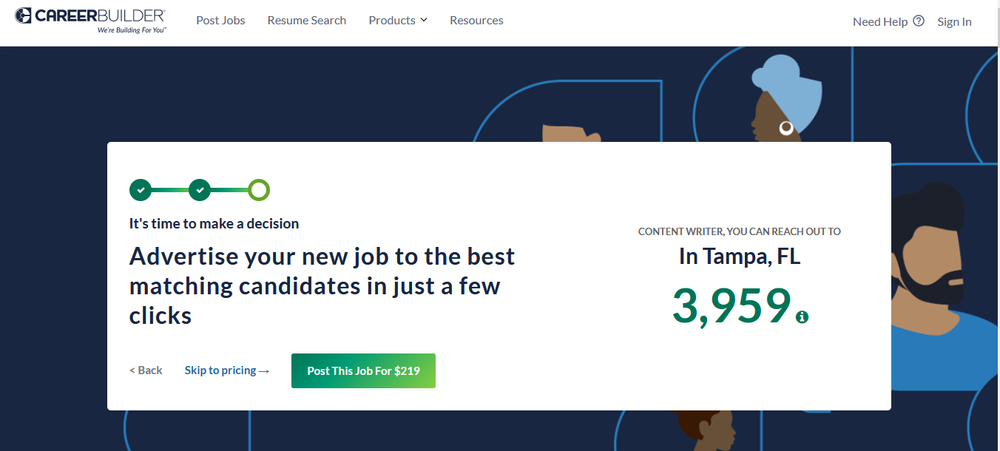
4. Click ‘Post This Job For $219,’ purchase an annual or monthly plan, or contact CareerBuilder for a custom quote.
5. Fill out the form with the position’s details.
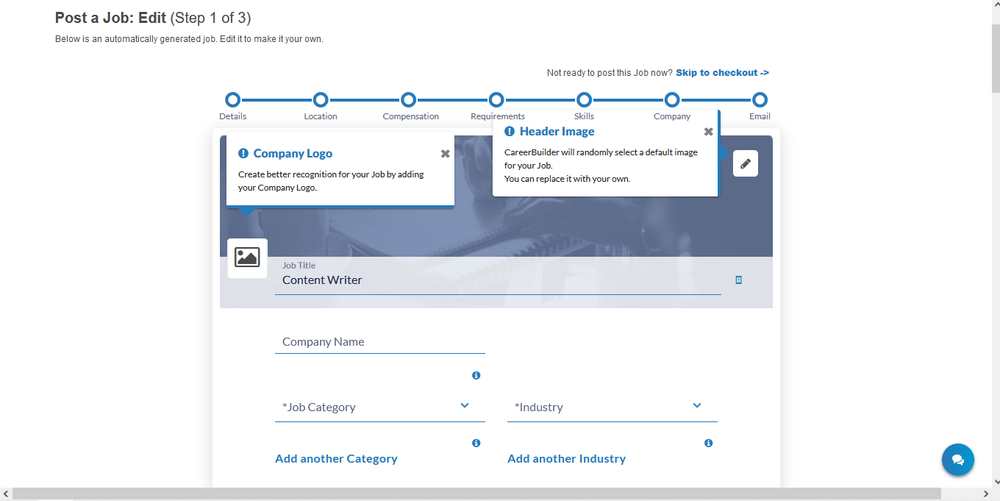
If you don’t want to fill out the form at that moment, you can pay for the job posting and return to it later.
CareerBuilder for Job Seekers
CareerBuilder lets you post your resume and search and apply for positions. Here are some of the key features you can benefit from:
-
The ability to apply to 25+ jobs with one click
-
A mobile app (available on Apple and Android devices) so you can manage your job search from anywhere
-
Job alert emails so you can move fast on new opportunities
-
Salary comparison tools so you know if you’re getting paid fairly
-
Learning articles to help you advance in your career
The best part? CareerBuilder is free for job seekers, so you won’t have to pay a dime for the service.
How to Find and Apply for Jobs on CareerBuilder
Before you search for and apply to jobs, you should create an account. The process is simple. Fill in a few fields and upload your resume. If you don’t have one, CareerBuilder offers a free, three-step resume builder.
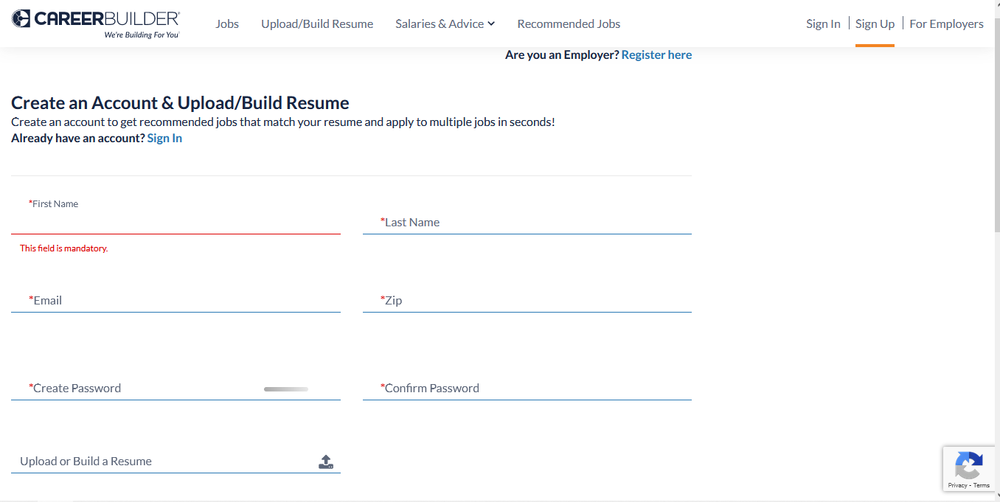
Now that you’re a registered user, here’s what to do next:
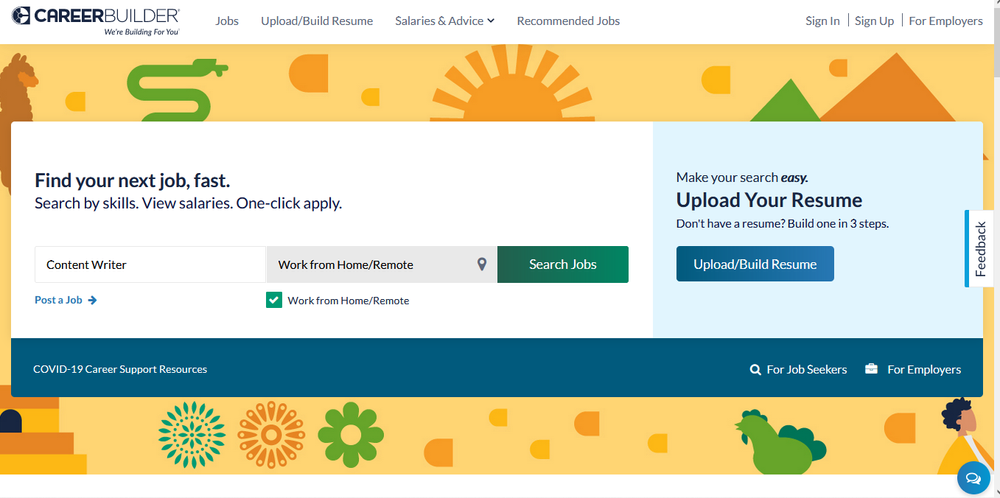
1. Search for jobs by title, military code, or skills. Don’t forget to specify where you want to work — whether that’s in a particular city or remotely from home.
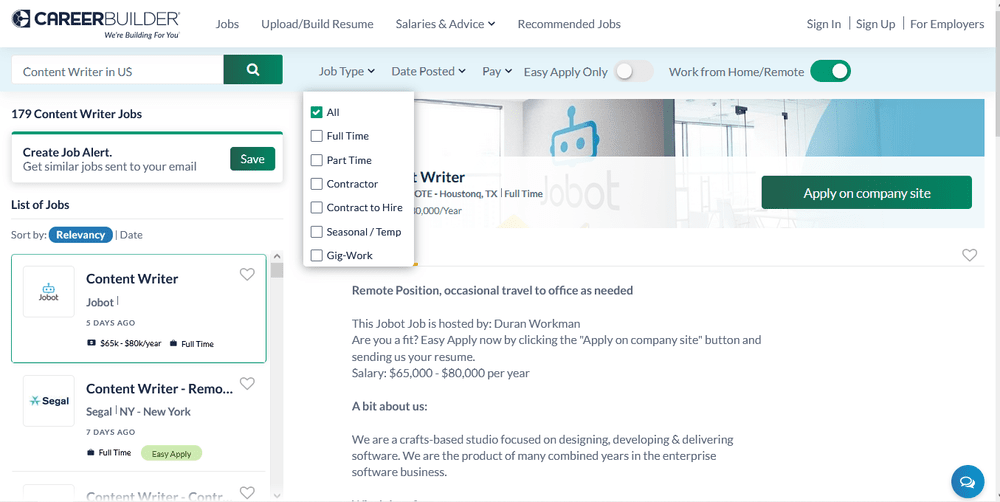
2. Refine your search by job type (full-time, part-time, freelance, etc.), date posted, pay, and other parameters.
3. To apply, click on the button in the job post. Please note: It may take you to the hiring company’s website.
CareerBuilder Pricing
If you want to try CareerBuilder out, you can make a one-time purchase of $375. Then, you can list a single job and have access to the resume database for 30 days. But, if you need ongoing support, you can buy a monthly plan for $219, $299, or $599, for one, three, or five job listings, respectively.
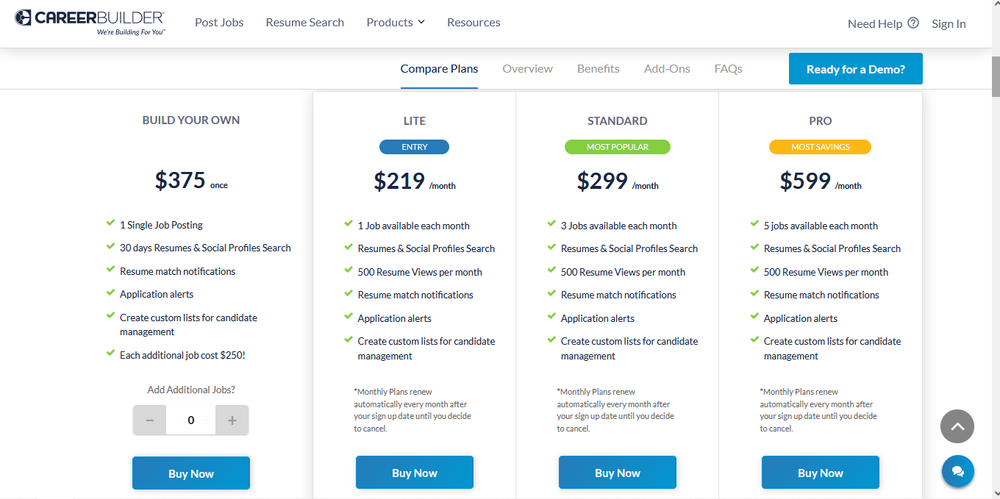
Please note: While this pricing is listed specifically for small businesses, any size firm can purchase these plans. If you’re a larger organization, or you want additional services, contact CareerBuilder for a custom quote.
While the company doesn’t offer a free trial, you can request a free demo to learn more about the service before making a purchase.
Pro Tip: If your recruiting department has a tight budget, check out our picks for the best free job posting sites.
If you are using CareerBuilder as a job seeker, you can post your resume and search for jobs for free.
Frequently Asked Questions
How does CareerBuilder make money?
CareerBuilder makes money by charging employers to post jobs and view candidate resumes.
How do you use CareerBuilder?
If you’re a job seeker, you can use CareerBuilder to showcase your resume and search for employment opportunities. If you’re an employer, you can use the platform to post open positions and find available talent.
Can you post on CareerBuilder for free?
Employers can’t post jobs for free on CareerBuilder. However, job seekers can publish their resumes and search for jobs at no cost.
How many users are on CareerBuilder?
According to CareerBuilder, the website has 45 million users.
The Bottom Line
CareerBuilder helps unite talent with professional opportunities. But, companies should always keep their options open and be willing to explore other services that can help them hire a qualified workforce.
ZipRecruiter can help with all of your hiring needs. If you are ready to add to your team, consider listing your job opening on ZipRecruiter!